Latest News at FlowCAD
New 3D Canvas
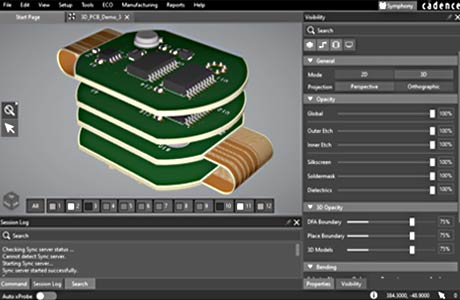
OrCAD X offers a directly integrated 3D view, which can be used to switch between 2D and 3D views without delay. The components are referenced with step models and thus the exact dimensions can be checked for collisions. By adding housing models, collisions in the assembly space can be easily avoided. Photorealistic images can also be generated.
Request more about OrCAD X
Design Review and Markup
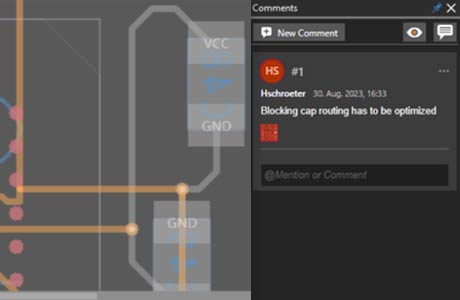
OrCAD X has the new function: Design Review and Markup. For queries, places in the design can be marked and supplemented with comments. The discussion about the technical content is stored in the layout data. This means that decisions can also be retraced later. With this markup function, the corresponding area in the layout is automatically displayed in a meaningful way (zoom and layer visibility).
Request more about OrCAD X
Stretch Flex PCB
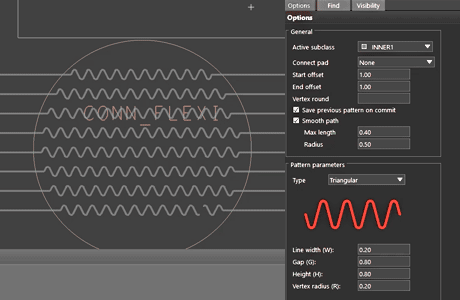
Stretch Flex PCB makes it possible to adapt routed PCBs so that they meet the requirements for stretchable circuit carriers and the copper lines do not break on stretchable material. The app was developed in close cooperation between Würth Elektronik and FlowCAD. All the necessary parameters for a wide range of applications can be set and applied to the routing.
Currently Available FloWare Modules
Power Electronics - Avoid temperature problems on printed circuit boards
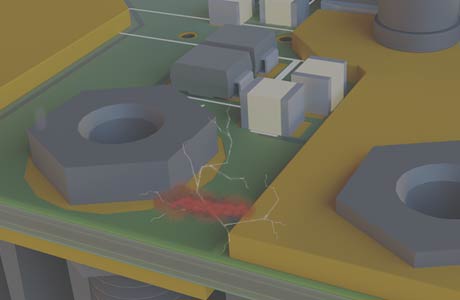
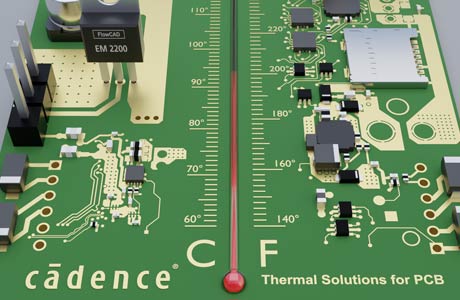
Thermal problems can be analyzed and solved with different solutions. With a PSpice simulation, components can be dimensioned so that they do not overheat. The temperature increase due to voltage drop on printed circuit boards (IR drop) indicates weak points in the layout to the designer. Concepts for cooling can be developed and refined concurrently with the design. Verification by CFD analysis of the entire system provides sign-off quality results.
Request a free demo

XJTAG Supports Productivity and Process Improvement at Cicor
Cicor is known for highly complex PCBs and hybrid circuits. At Bronschhofen site, Cicor was able to increase test coverage for densely populated PCBs with introduction of XJTAG Boundary Scan. XJTAG's built-in tests and tools enable quickly start testing boards, find and repair defects, and fine-tune assembly processes to increase end-of-line yield.
Read full Story
 AWR Design Environment V22.1