inspectAR PCB Overlay Viewer

inspectAR PCB Viewer

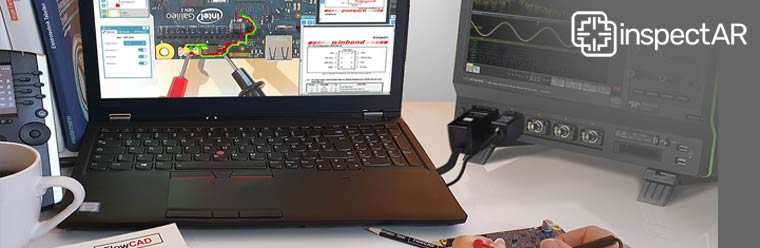
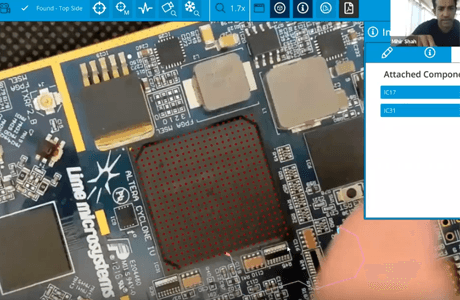
inspectAR is an Augmented Reality (AR) platform designed to display a physical circuit board together with the design data as an AR overlay without the need for special glasses.

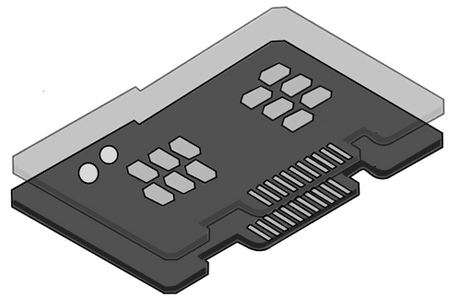
All common programs for designing PCBs, such as Cadence Allegro and OrCAD, Siemens, Altium or Zuken can export design data in IPC-2581 or ODB++ format. These are then read into inspectAR. The real circuit board is captured using a webcam, mobile phone or tablet. The software recognizes the dimensions of the circuit board and compares the coordinates with the design. The information about pins, nets and components can then be displayed as an overlay on the design data. The photo can be seen statically on the screen or the combination of the PCB with the functionality of the circuit diagram can be seen dynamically as a live video stream.

Especially for manual testing and during bring-up phase, inspectAR is an ideal tool for functional testing of small series, which is usually carried out by the developers themselves. Component placements and connections can be tested step by step and commissioning can be simplified.

Interactive selection of components on the display shows which component is involved. The data sheet for the component can be displayed with a further click. The routing for networks is displayed across all the layers used in the layout. This gives the viewer a quick overview of which components are connected.

The on-premise deployment allows unrestricted access to data within your own IT network. Server support allows data, comments, camera calibrations and other project-related information within the development team to be made available simultaneously on different installation devices.

Augmented reality enables time-saving, efficient testing with advanced technology.

inspectAR supports with:

  • Instantly locate any net, component, or layer
  • Search, view and add selected component information and datasheets
  • Easily collaborate as a team by providing comments, documents and image files, and configured overlays
  • Define and provide test and rework instructions
  • Create markups, labels, and simple graphics and link them to the design as screenshots

inspectAR Helps Today's Hardware Teams Turn a PCB Design Into an Interactive, Model-based Piece of Documentation

Start Your Free Trial Today

Use inspectAR free of charge with full functionality. Create a free account to unlock your download for iOS and Android. If you do not have a PCB at hand, a printed photo is also sufficient.
After the trial period has expired, access is automatically switched to the mobile version (inspectAR Personal) with restricted use.


Start Free Trial apple ios app store google android play store

Product Feature Comparison

Technician

Professional, Small-Mid Businesses and Teams

  • Includes an AR engine for testing, debugging, servicing, and repairing PCBs
  • Enables in-tool procedure execution
  • Standard Support


Request a Quote

Engineer

Professional, Small-Mid Businesses and Teams

  • Enables procedure creation and procedure validation
  • Offers full technician functionality
  • Standard Support


Request a Quote

Enterprise

Large Businesses with Multiple Design Teams

  • Includes both Engineer and Technician functionality for all users
  • Configurable integration and visualization API
  • Automation API
  • 24/7 Support

Request a Quote